

iPhone Battery Draining Fast After iOS 27? How to Tell Software From Hardware
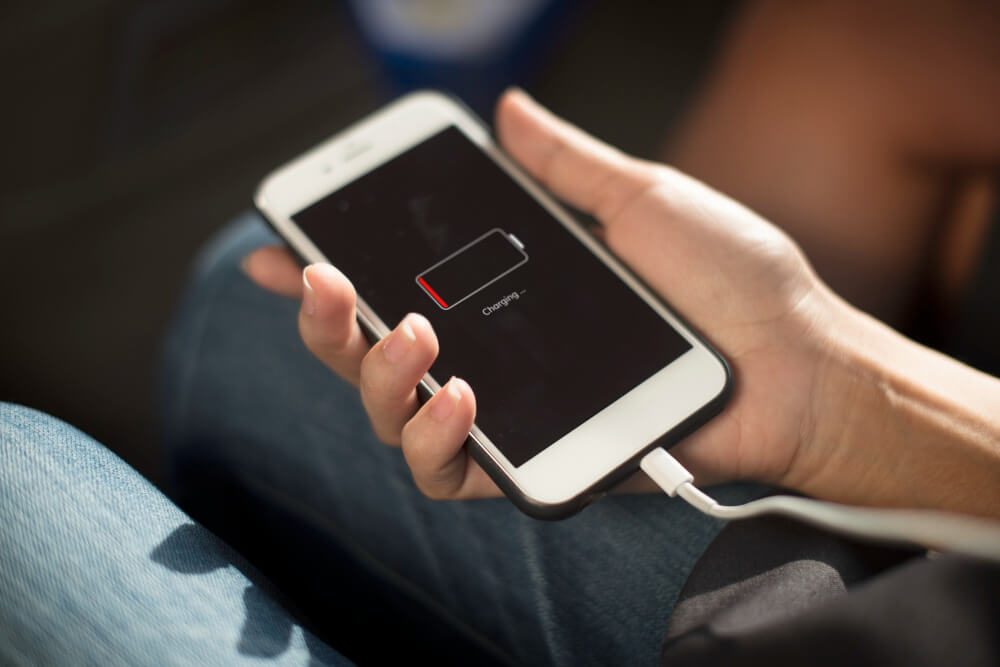
Quick answer: iPhone battery drain in the first two to three days after installing iOS 27 is normal and caused by background indexing. Drain that continues a week after the update is almost always a worn battery, not the software. Check Settings, Battery, Battery Health: a Maximum Capacity below 80 percent means the battery needs replacing, and no update will fix it. Tech Care Qatar replaces iPhone batteries at your home or office anywhere in Qatar, usually in 30 to 40 minutes.
Key takeaways
- Wait three days and one overnight charge before judging battery life after any iOS update.
- Battery Health below 80 percent Maximum Capacity is the threshold for replacement.
- Sudden drops from around 30 percent to shutdown are a hardware signature, not a software one.
- iOS 27 supports iPhone 11 and newer. The oldest supported phones carry the oldest batteries, which is why they feel the update most.
- A certified battery replacement restores full-day use and clears performance throttling.
Why does an iPhone battery drain faster right after an iOS update?
An iPhone battery drains faster for two to three days after a major iOS update because the phone is doing heavy background work: re-indexing photos for search, rebuilding the Spotlight database, re-analysing the photo library, and re-downloading app assets cleared during the install. This is temporary and resolves on its own once indexing completes.
iOS 27 was released on 14 September 2026. The pattern that follows every major iOS release is already repeating across Qatar: phones that lasted a full day now want a charger by mid afternoon, and the update gets the blame. Sometimes that is fair. More often the update has exposed a battery that was already on its way out.
On a phone with several thousand photos, indexing can run for a day or two. The Battery screen in Settings will show unusually high background activity for Photos, Spotlight or Siri during that window. Charge the phone overnight, leave it on Wi-Fi, and the drain normalises. If you are reading this within three days of updating, nothing is wrong yet.
How do you check iPhone Battery Health?
To check iPhone Battery Health, open Settings, tap Battery, then Battery Health. Two figures matter: Maximum Capacity, which shows the battery’s current capacity relative to new, and Peak Performance Capability, which shows whether iOS is throttling the phone to protect a weak battery.
Maximum Capacity is the number most people look at. A phone at 100 percent holds its full original charge. A phone at 78 percent holds only 78 percent of what it once did, which means a shorter day, every day, regardless of what software it runs. Apple’s own support documentation treats 80 percent as the point at which a battery is significantly degraded and replacement is recommended.
Peak Performance Capability is the number most people ignore, and it is the more telling one. If it reads that the battery is supporting normal peak performance, the hardware is fine. If it reports that performance management has been applied, the battery has already failed to deliver enough power at some point and the phone slowed itself down to prevent a shutdown. That message is a battery diagnosis in plain text.
What are the signs the battery is the problem and not iOS 27?
The four signs that an iPhone battery, not the software, is causing fast drain are: non-linear drops in the bottom half of the gauge, shutdowns under load or in cold air, a Battery Health reading that was already below 85 percent before the update, and a battery that charges to full quickly but drains quickly.
1. The drop is not linear. A healthy battery falls steadily through the day. A worn one sits at 40 percent, then drops to 12 percent in twenty minutes, then shuts off at 8 percent. Sudden collapses in the lower half of the gauge are a hardware signature. Software drains steadily; chemistry fails suddenly.
2. The phone shuts down under load or in the cold. Opening the camera, launching a game, or stepping from Doha heat into an air-conditioned mall and watching the phone restart means the battery can no longer deliver current on demand. This is the exact failure Peak Performance Capability is designed to prevent.
3. Battery Health was already below 85 percent before the update. If you remember the number from before and it was already in the low 80s, iOS 27 did not cause anything. It pushed a tired battery over a line it was already close to.
4. Charging behaviour has changed. A battery that charges to 100 percent quickly and drains quickly is a battery with reduced capacity. It is filling a smaller tank.
If two or more of these apply, the answer is replacement, not a software fix.
Which iPhones are affected most by iOS 27 battery drain?
The iPhone 11, 12 and 13 report the sharpest battery change after iOS 27, not because the update targets them but because they carry the oldest batteries in the supported range. iOS 27 supports every model back to the iPhone 11, a 2019 phone whose original battery has been through five to six years of daily charging.
Each iOS version asks a little more of the processor. On a phone with a fresh battery that difference is invisible. On a phone whose battery is at 75 percent, it is the difference between reaching dinner and not. The phones are not too old for the software. The batteries are too old for the phones.
Newer models are not immune. An iPhone 14 or 15 that has been fast-charged daily in Qatar’s heat for two years can sit in the low 80s, and the same logic applies.
Software symptom or battery symptom?
| What you notice | Likely cause | What to do |
|---|---|---|
| Fast drain in the first 2 to 3 days after updating | Software, background indexing | Wait, charge overnight on Wi-Fi |
| Fast drain a week or more after updating | Battery | Check Battery Health, replace if under 80 percent |
| Maximum Capacity below 80 percent | Battery | Replace |
| Sudden drops from 30 percent to shutdown | Battery | Replace |
| High background activity shown for Photos or Spotlight | Software | Wait for indexing to finish |
| Phone restarts when the camera or a game opens | Battery | Replace |
| Performance management message in Battery Health | Battery | Replace |
| Drain settles after an overnight charge on Wi-Fi | Software | Nothing further needed |
What should you try before booking a battery replacement?
Before booking a replacement, do four things: charge to 100 percent and leave the phone on Wi-Fi overnight, check the Battery screen for any single app with unusually high background activity, turn off Always On Display if your model has it, and install the first iOS 27 point update when it arrives. These rule out the software. They will not rescue a worn battery.
- Charge to 100 percent and leave the phone on Wi-Fi overnight so indexing completes.
- Open Settings, Battery, and scan the app list. Restrict Background App Refresh for anything unusually high.
- Turn off Always On Display if you do not need it.
- Install iOS 27.0.1 or the first point release, which typically arrives within two weeks of a major update and addresses early battery reports.
If the phone still dies early after all four, stop troubleshooting. It is the battery.
What does a doorstep iPhone battery replacement involve?
A doorstep iPhone battery replacement from Tech Care Qatar takes 30 to 40 minutes at your home or office anywhere in Qatar. An independent expert technician arrives with a certified replacement battery for your exact model, opens the phone on your table, removes the worn cell, fits and seals the new one, and tests it in front of you. Every repair carries a warranty.
After the fit, Battery Health reads 100 percent Maximum Capacity, the performance management message clears, and the phone runs at full speed for a full day again. A fresh certified battery also makes an older iPhone a strong candidate to hand down to family, which is the subject of our preparation checklist.
If you would rather visit, the Tech Care Qatar service center is at Office 52, 5th Floor, Al Ezz Tower 4, Old Slata, Doha, open Saturday to Thursday 9 AM to 9 PM and Friday 4 PM to 10 PM.
Book a doorstep battery check on WhatsApp at +974 777 42 712.
Frequently asked questions
Does iOS 27 damage the iPhone battery?
No. iOS 27 cannot physically wear a battery. It makes an already worn battery more noticeable by asking slightly more of the phone and by running heavy indexing for the first two to three days.
How long should I wait after updating to iOS 27 before deciding the battery is bad?
Three full days with at least one overnight charge on Wi-Fi. If drain is still severe on day four, the battery is the likely cause.
What Battery Health percentage means the iPhone battery needs replacing?
Below 80 percent Maximum Capacity is the replacement threshold used in Apple’s support guidance. Between 80 and 85 percent the phone will feel noticeably shorter through the day.
Can I get an iPhone battery replaced at home in Qatar?
Yes. Tech Care Qatar performs certified iPhone battery replacements at your home or office anywhere in Qatar, usually in 30 to 40 minutes, with a warranty on the repair.
Will a new battery fix iPhone throttling after iOS 27?
Yes. Once a certified battery is fitted, iOS removes performance management and the phone runs at full speed again.
Is it worth replacing the battery on an iPhone 11 or 12 in 2026?
Usually. A battery replacement is one of the least expensive iPhone repairs, restores a full day of use, and is far cheaper than replacing the phone.